 0
0
 19 August 2026, 10:02:33 am AEST
 3 min
3 min

 0
19 August 2026, 10:02:33 am AEST
3 min
0
19 August 2026, 10:02:33 am AEST
3 min

Beyond Basic Export: Scheduled TM1 to Power BI Sync with DataFusion A while back, we published a guide on integrating Power BI and TM1. The premise was straightforward: business leaders want the heavy-lifting, industrial-grade modeling of Planning Analytics combined with the ...
A while back, we published a guide on integrating Power BI and TM1. The premise was straightforward: business leaders want the heavy-lifting, industrial-grade modeling of Planning Analytics combined with the accessibility and visual engine of Power BI. You build your complex, multi-entity financial logic in TM1, and you present it beautifully in Power BI.
It is the right architecture. But honestly—for a long time—the mechanics of actually connecting the two systems have been less than ideal.
If you manage an enterprise finance pipeline, you know the reality. The traditional methods usually involve writing custom ODBC queries, scheduled flat-file exports, or relying on middleware that extracts data overnight. The result is a fragile pipeline. If a rule changes in TM1, or if a user inputs a late journal entry, the Power BI dashboard remains stale until the next batch run.
This manual "export and hope" methodology breaks the single source of truth. It forces analysts to spend Friday afternoons reconciling what Power BI shows against what the TM1 cube calculates. We shouldn't be duct-taping our reporting pipelines in 2026.
The fundamental problem with flat-file exports is that they treat TM1 like a static database rather than a living, in-memory calculation engine. When you extract data, you leave behind the complex business logic, the security protocols, and the hierarchies that make TM1 the enterprise heavy-lifter it is.
The solution is moving from manual file exports to a direct connection between TM1 and Power BI.
Instead of exporting files, you connect Power BI directly to the TM1 calculation engine and refresh on a schedule or on demand.
This ensures two things:
We saw too many finance teams struggling with fragile ODBC connections. That is exactly why we built the Datafusion TM1 Connector.
Datafusion is not a generic middleware tool. It is specifically engineered to bridge the gap between IBM Planning Analytics and Power BI seamlessly. It harnesses the complexity of your TM1 models without forcing you to ditch your existing reporting layer or write custom integration scripts.
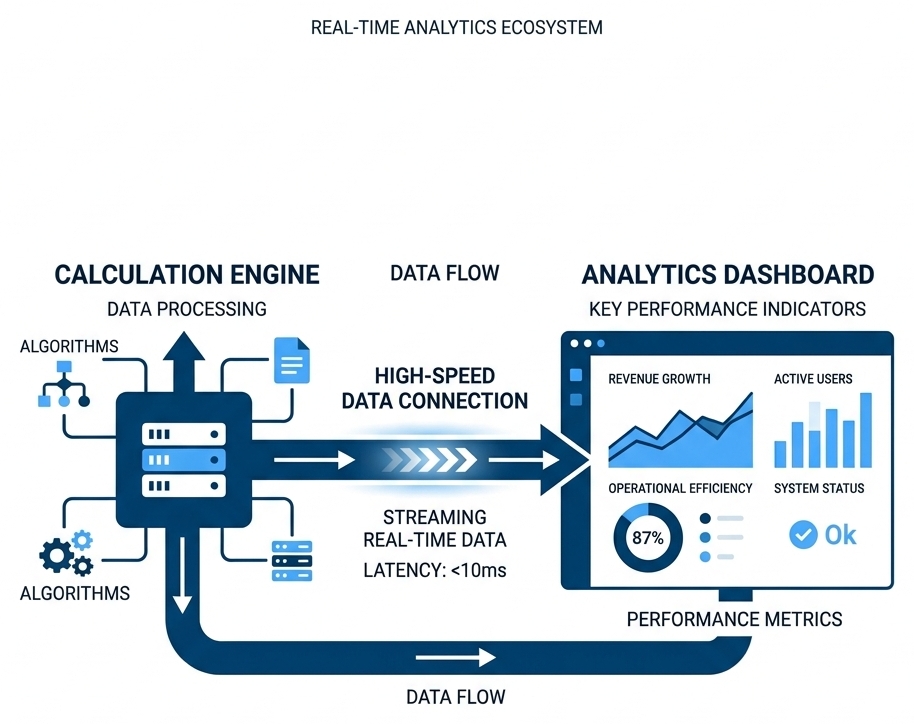
Unlike generic ODBC drivers that force you to write rigid SQL statements against multidimensional cubes, Datafusion natively understands the architecture of Planning Analytics.
We don't believe in ditching Excel or Power BI; we believe in feeding them the right data, directly from the engine designed to calculate it. If your team is currently spending more time maintaining data pipelines than analyzing the actual variance, it is time to look at your integration architecture.
Let's talk specifics. Book a DataFusion demo to talk through your TM1 environment.
Book a Demo.png)
Subject-matter specialist at Octane Solutions, helping Australian enterprise finance teams optimize planning, analytics, and automation.
 print
print


Leave a comment