 0
0
 15 July 2025, 10:03:17 pm AEST
 2 min
2 min

 0
15 July 2025, 10:03:17 pm AEST
2 min
0
15 July 2025, 10:03:17 pm AEST
2 min

Problem Summary:
Problem Summary:
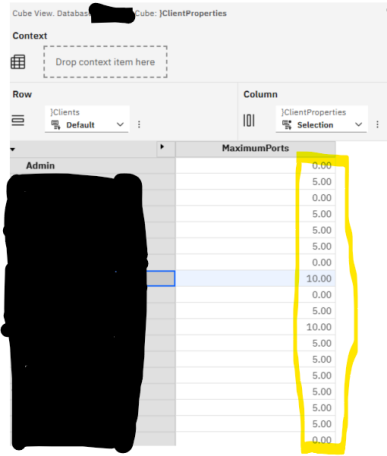
Users encounter a "Logging on to the server failed" error when opening PAW reports when their }clientproperties have maximumports set to non-zero values (1-10).

Root Cause:
The issue stems from PA Workspace's modern architecture 2.1.5:
When maximumports is set too low (1-10), it restricts the number of concurrent connections the client can establish, causing connection failures during report loading.
Recommended Solutions:
Preferred Solution: Set maximumports = 0 (default value)Report complexity
Data payload size
Server capacity
Network conditions
Implementation Considerations:
The documentation suggests that setting maximum ports to 0 (unlimited) is generally the best approach unless specific constraints require limiting connections.

Subject-matter specialist at Octane Solutions, helping Australian enterprise finance teams optimize planning, analytics, and automation.
 print
print


Leave a comment