.webp) 0
0
.webp) 30 September 2019, 3:37:49 pm AEST
30 September 2019, 3:37:49 pm AEST
.webp) 4 min
4 min
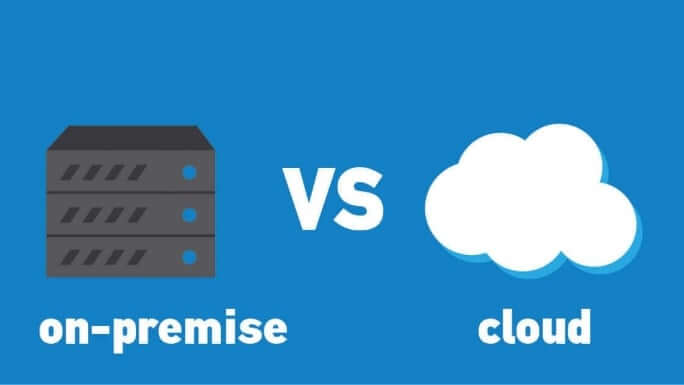
As you plan to adopt IBM Planning Analytics cloud, it’s important to understand what it takes. This blog highlights areas you will be involved-in when you upgrade from on-premise TM1 10.x.x to Planning Analytics on Cloud.
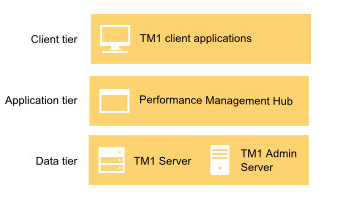
The good thing about cloud is that it comes with TM1/PA and all of its components like Planning Analytics Workspace, TM1 Web installed and configured. Meaning lesser effort. Also, all future release upgrades are taken care by IBM keeping you up to date with the latest and greatest.
So let’s quickly look at the steps as you set yourself up:
- Welcome Kit
Once the cloud servers are provisioned, you will receive a welcome kit which will have all the details related to DEV and PROD cloud environments.
This document will have things like RDP credentials, Shared folder Credentials and links for TM1 Web, Workspace and Operation Console
Note:IBM offers its clients a choice of choosing a Domain name for both production and Development. For example, http://abcdprod.planning-analytics.ibmcloud.com/and http://abcddev.planning-analytics.ibmcloud.com/
A single blank TM1 instance with the name TM1 is setup initially when the cloud server is provisioned.
- Secure Gateway
Create a secure gateway to establish a connection between your on-cloud planning analytics environment and your on-premises data sources. And then add a data source to a secure gateway. You will also would need to install secure gateway client and test the connection.
- Support Site
Register with IBM support site to raise and monitor tickets. This is a very important step as all queries related to cloud environment including creating a new instance would require a ticket to be raised.
- FTP Client
Planning Analytics on Cloud includes a dedicated shared folder for storing and transferring files. You can copy files between your local computer or shared directory within your company network and the Planning Analytics cloud shared folder with a FTPS application like FileZilla.
Download, install and configure FileZilla (free FTP solution) on users’ machines, so that the users can copy and download files from planning analytics on cloud shared folder
If you have the shared path mentioned in the Sys Info cube then update the path. Or if you have hard coded the paths in the TI then I would recommend to clean up the Tis by pointing to the path mentioned in the Sys info cube.
- Planning Analytics for Excel (PAX)
PAX is the new add-in, it replaces perspectives used on-premises.
Download, Install and configure PAX on users’ machine.
Note:Schedule for a PAX training before asking users to test cubes, dimensions, reports and data reconciliation activities. This, as PAX comes with new ways of doing things which require but of hand holding initially.
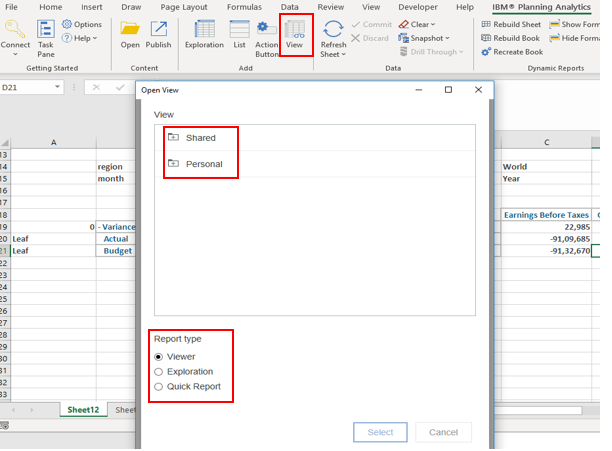
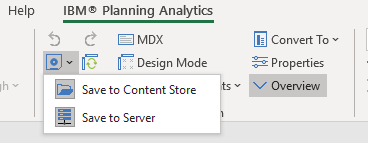
- Upgrade perspectives action buttons
Action buttons used in TM1 10.x.x needs to be upgraded to be used in Planning Analytics for Excel.
Note:Once excel report / template are upgraded, it will no longer work in perspectives. Essential to take backups of all excel reports before performing this task
In Summary:
- Have a test plan to validate all the objects including security, reports and performance of TIs.
- Take this opportunity to clean up data folder, redundant objects and cube optimisation.
- Have a training plan in place as new features are added to PAX and PAW very frequently.
- Keep an eye on what is new. Below are the links for PAX and PAW updates
We at Octane have vast & varied experience in migrating on-premise TM1 10.x.x to Planning Analytics on cloud.
Contact us at info@octanesolutions.com.auto find out how we can help.
As you plan to adopt IBM Planning Analytics cloud, it’s important to understand what it takes. This blog highlights areas you will be involved-in when you upgrade from on-premise TM1 10.x.x to Planning Analytics on Cloud. The good thing about cloud is that it comes with TM1/PA and all of its components like Planning Analytics Workspace, TM1 Web installed and configured. Meaning lesser effort. Also, all future release upgrades are taken care by IBM keeping you up to date with the latest and greatest. So let’s quickly look at the steps as you set yourself up: Welcome Kit Once the cloud servers ...
.webp)









.webp?width=160&height=85&name=powerbi-1%20(1).webp)



.webp)